Diagnostics, safe refactoring, and YAML code view
The Weaver includes comprehensive static analysis tools, project-wide safe variable refactoring, and an embedded CodeMirror 6 YAML editor to ensure your interview code remains clean, error-free, and maintainable.
Real-time validation and diagnostics
The bottom Errors & Warnings drawer continuously analyzes your interview as you make changes:
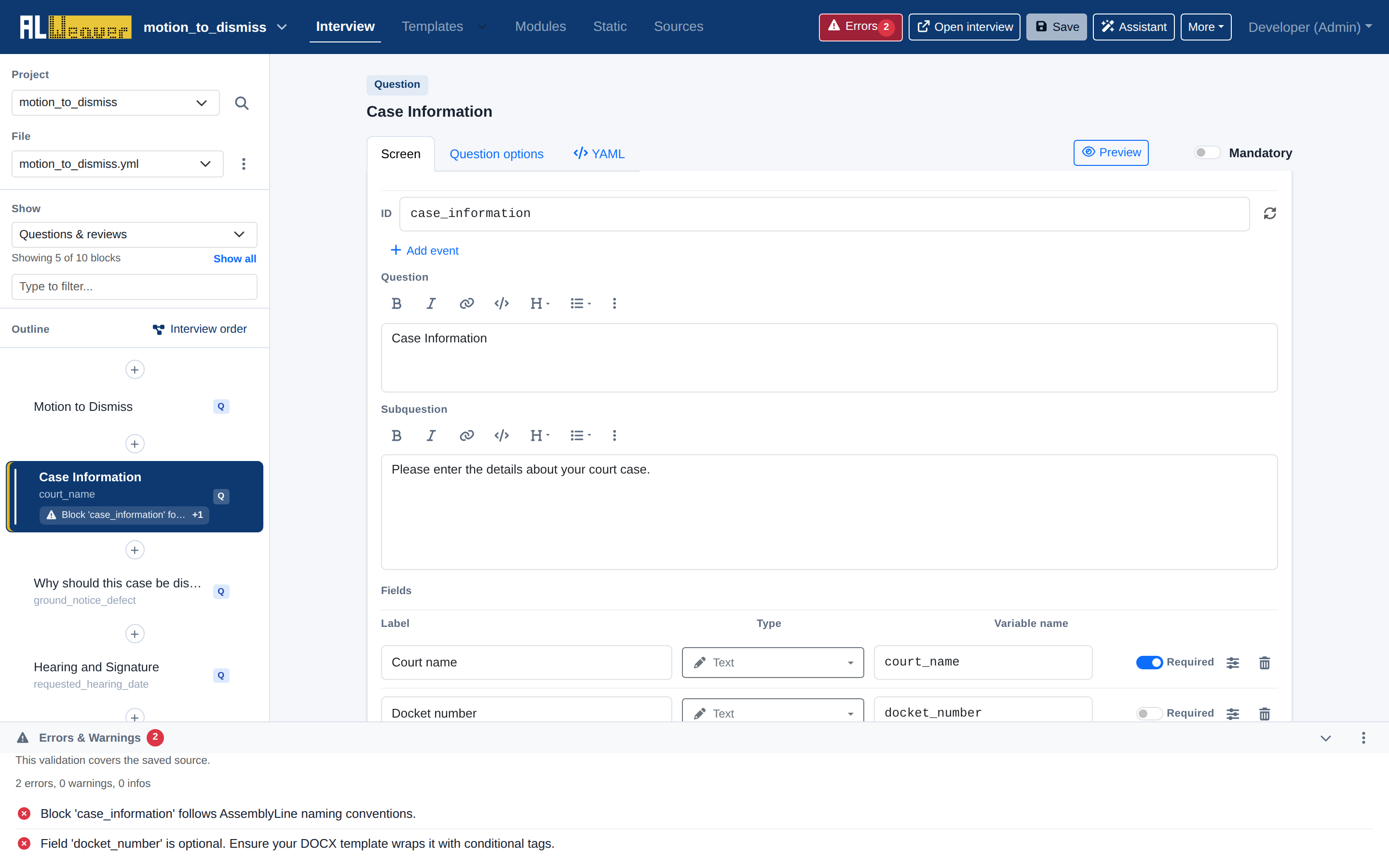
The linter automatically checks for:
- Duplicate or Missing Block IDs: Flags blocks that share an ID or omit an essential
id:tag. - Undefined Variables: Detects references in questions, review screens, or order logic that have no matching field definitions or object declarations.
- Template Field Mismatches: Warns if a variable is used in a DOCX or PDF template but is missing from your question screens.
For plain-language and style review, use the validation drawer's Style check action separately — it is not part of the always-on drawer checks and calls an AI-assisted review of your question wording.
Project-wide find and replace with safe variable refactoring
Renaming a variable across a complex project with a simple text search-and-replace often causes unintended side effects—corrupting user-facing labels, subquestions, or comments.
Click the magnifying-glass icon next to the project selector in the left rail to open Find and replace:
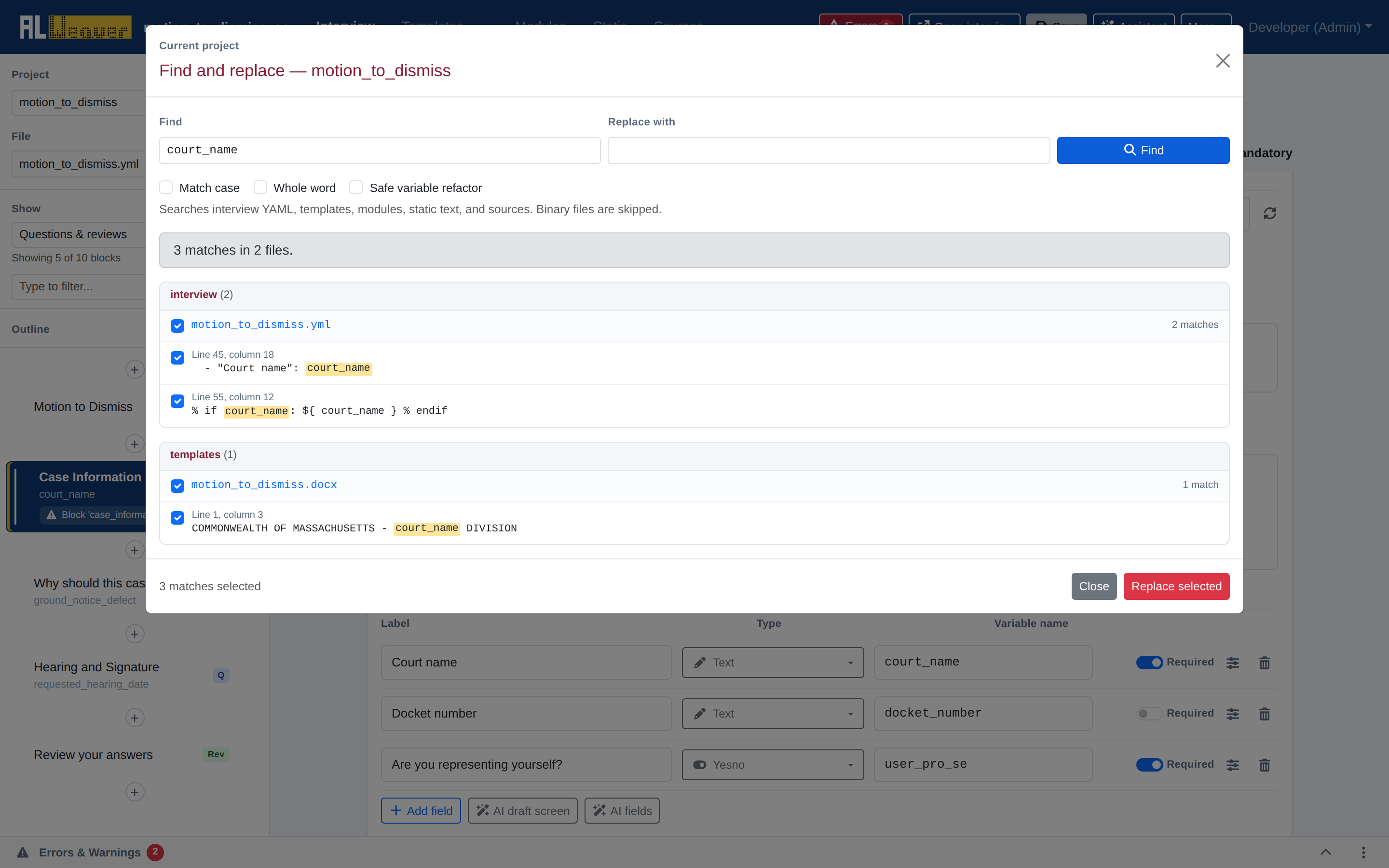
Safe variable refactoring mode
- AST & Structure Awareness: Uses Python Abstract Syntax Tree (AST) parsing and YAML stream analysis to distinguish between actual variable references and identical words in human-facing text.
- Multi-File Scope: Finds and updates occurrences across YAML interviews, DOCX Jinja2 templates, and Python modules simultaneously.
- Selective Replacement: Displays a list of matches with surrounding context and checkboxes, allowing you to choose exactly which occurrences to replace.
Full raw YAML view
For power users who prefer to inspect or edit raw code directly, click More $\to$ YAML source:
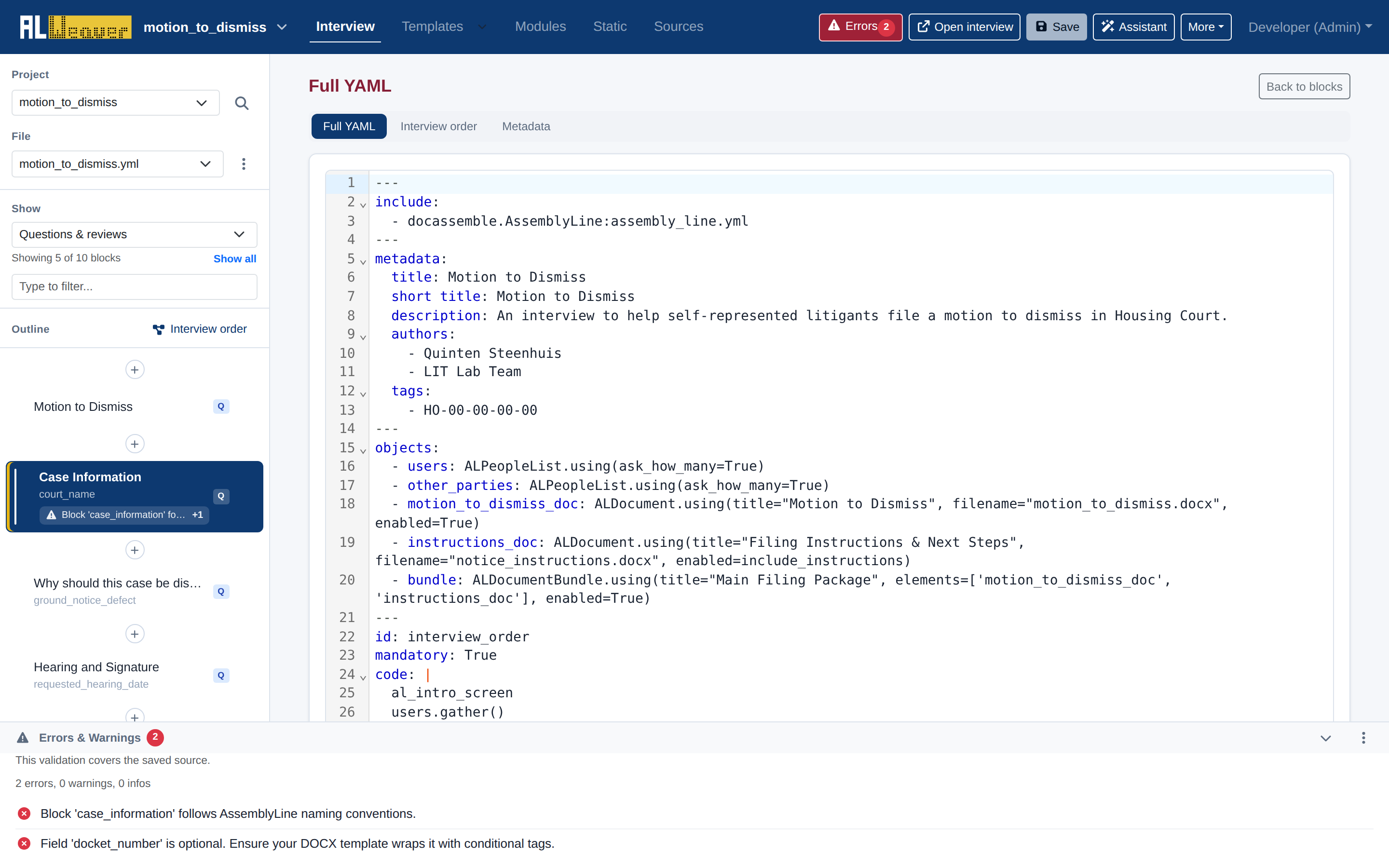
The built-in CodeMirror 6 editor provides:
- Full syntax highlighting for Docassemble YAML, Mako templates, and embedded Python expressions.
- Code folding, line numbering, and bracket matching.
- Two-Way Synchronization: Any valid edits made in the raw YAML view are parsed and updated in the visual block outline as soon as you return to the block editor.
Next steps
- Push your interview to GitHub in Publishing and version control with GitHub.
- Review the Authoring checklist before publishing.